
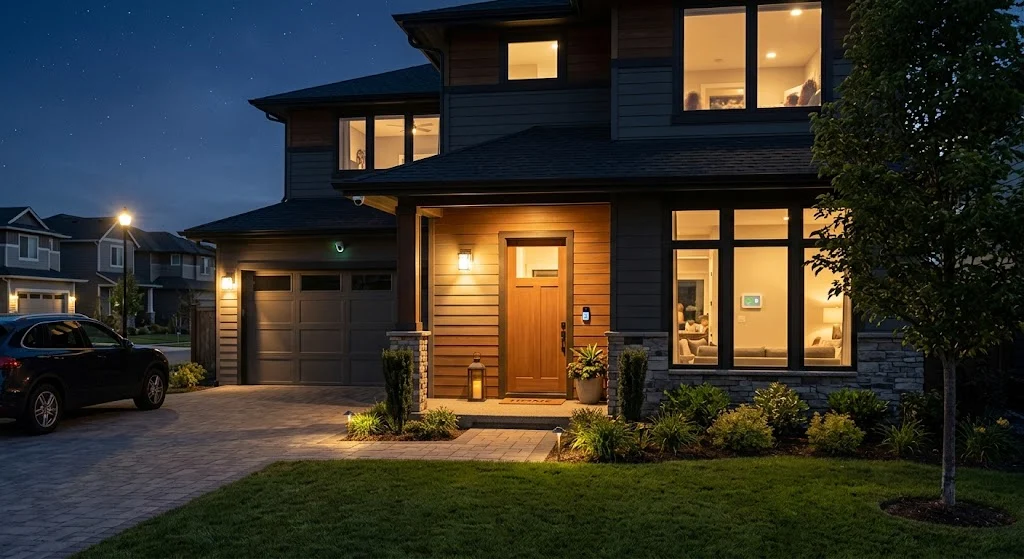
A home security alarm is a system of sensors, cameras, and alerts that detects break-ins, fires, or other threats and notifies you or a monitoring center right away. It combines door and window sensors, motion detectors, and a control panel to keep your home safe around the clock.
Nobody wants to think about a break-in happening at their house. But burglaries still happen every day, often when families are away at work or asleep at night. A home security alarm gives you a way to fight back before something bad happens.
This guide walks you through everything you need to know. You’ll learn how these systems work, what types exist, and how to pick the right one for your home and budget.
What Is a Home Security Alarm?

A home security alarm is a network of devices that work together to protect your house. It includes sensors on doors and windows, motion detectors inside your home, and a central control panel that ties everything together. When something triggers a sensor, the system sounds an alarm and sends you an alert on your phone.
Many systems also connect to a monitoring company. If an alarm goes off, someone on their team checks in with you and calls emergency services if needed. This extra layer of protection can make a real difference when seconds matter.
Some alarms focus only on intrusion. Others cover fire, carbon monoxide, flooding, and even medical emergencies. The right setup depends on what risks matter most to your household.
How Home Security Alarms Work
The idea behind a home security alarm is simple. Sensors watch specific points around your home, like doors, windows, and hallways. When a sensor detects movement or an opening, it sends a signal to the control panel.
The control panel decides what to do next. It might sound a loud siren to scare off an intruder and alert neighbors. It might also send a signal to a monitoring center or push a notification straight to your phone.
Most modern systems run on wireless technology. Sensors talk to the panel using radio signals instead of wires running through your walls. This makes installation faster and lets you add or move sensors without hiring an electrician.
You arm and disarm the system using a keypad, a smartphone app, or sometimes your voice through a smart speaker. Many homeowners set their alarm to arm automatically at night or when everyone leaves for the day.
Types of Home Security Alarms
There are a few main categories of home security alarms, and each one fits a different kind of household.
Monitored alarm systems connect to a professional monitoring center that watches your home 24 hours a day. If your alarm triggers, a real person checks the situation and calls the police or fire department on your behalf. This option usually comes with a monthly fee, but it offers the fastest response when something goes wrong.
Unmonitored systems skip the monitoring center. When a sensor triggers, the alarm sounds locally and sends an alert to your phone, but nobody calls for help automatically. You’re responsible for deciding what to do next. This option costs less over time since there’s no monthly service fee.
Wireless systems use radio signals to connect sensors to the main panel. They install quickly, work well in rental properties, and let you take the system with you if you move. Wired systems, on the other hand, run cables through your walls and tend to be more permanent, though they’re less common in new installations today.
Smart home security systems add another layer by connecting your alarm to other devices in your house. Think smart locks, video doorbells, and lights that turn on automatically when a sensor trips. These systems usually run through an app, giving you control from anywhere with an internet connection.
Key Components of a Home Security System
A full home security setup usually includes several types of devices working together. Door and window sensors detect when an entry point opens while the system is armed. These are often the first line of defense since most burglars try doors and windows before anything else.
Motion detectors watch for movement inside your home, catching anyone who manages to get past the entry sensors. Glass break sensors listen for the specific sound of shattering glass, which is useful for sliding doors and large windows that regular sensors might miss.
Security cameras let you see what’s happening in real time, both inside and outside your home. Many models today record in high definition and send alerts straight to your phone when they spot movement. Video doorbells work the same way but focus specifically on your front entrance, letting you see and speak with visitors without opening the door.
The control panel acts as the brain of the whole system. It communicates with every sensor and camera, sounds the alarm when needed, and connects to your monitoring service or app. A loud siren rounds out most setups, since sound alone often scares off intruders before they get very far.
Benefits of Installing a Home Security Alarm
The most obvious benefit is deterrence. Studies and surveys of convicted burglars consistently show that visible alarm systems and cameras make a house a less attractive target. Many burglars simply move on to a house without one.
Beyond deterrence, a home security alarm gives you faster response times when something does happen. Instead of hoping a neighbor notices smoke or a broken window, your system alerts you and emergency services right away. That speed can protect both your property and your family.
Home security systems also give you a way to check on your house while you’re away. Whether you’re at work, on vacation, or just running errands, you can pull up your camera feed and see what’s going on. Parents often use this to check that kids got home safely from school.
Many insurance companies offer discounts to homeowners with monitored alarm systems. The discount varies by provider, but it can offset part of your monthly monitoring cost over time. It’s worth calling your insurance company to ask what discount they offer before you choose a system.
DIY vs Professionally Monitored Systems
Choosing between a DIY system and a professionally monitored one comes down to how much responsibility you want to take on. DIY systems let you install everything yourself, usually within an hour or two, and skip the long-term contracts that some companies require. You handle alerts on your own and decide when to call for help.
Professionally monitored systems cost more each month, but they take that responsibility off your shoulders. A trained team watches your home around the clock and reaches out to emergency services the moment something triggers an alarm. For families who travel often or want extra peace of mind, this option tends to be worth the added cost.
Some companies now offer a middle ground. You install the equipment yourself, but you can still add professional monitoring as an optional service. This gives you flexibility to start small and upgrade later if your needs change.
How Much Does a Home Security Alarm Cost?
Costs vary quite a bit depending on the type of system and how many devices you need. Basic DIY kits with a few door sensors and a camera can start under 200 dollars, with no monthly fee if you skip professional monitoring.
Professionally monitored systems typically charge a monthly fee ranging from around 20 to 60 dollars, depending on the provider and the level of service. Equipment costs on top of that can range from a few hundred dollars for a basic setup to over a thousand dollars for a system with multiple cameras, sensors, and smart home add-ons.
Installation fees add another variable. Many DIY systems skip this cost entirely since you set everything up yourself. Professionally installed systems may charge anywhere from 100 to several hundred dollars for setup, though some companies waive this fee as a promotion.
Before committing to any system, ask about contract length, cancellation fees, and what happens if you move. Some companies lock you into a two or three year contract, while others let you pay month to month with no commitment.
Smart Features to Look For
Today’s home security alarms do a lot more than sound a siren. Two way audio lets you talk through your cameras or doorbell, so you can tell a delivery person where to leave a package or scare off someone who shouldn’t be there.
Smartphone integration is close to standard now. You should be able to arm and disarm your system, view camera feeds, and get instant alerts no matter where you are. Look for a system with a well reviewed app, since a clunky interface makes daily use frustrating.
Smart home compatibility matters too if you already use devices like smart locks, thermostats, or voice assistants. A system that connects with what you already own saves you from managing several separate apps. Battery backup and cellular connection are also worth checking, since these keep your system running during a power outage or if someone cuts your internet line.
Tips for Choosing the Right System
Start by walking through your home and noting every door, window, and vulnerable entry point. This tells you how many sensors you actually need instead of guessing or buying more than necessary.
Think honestly about how much monitoring you want. If you travel a lot or work long hours away from home, professional monitoring probably makes sense. If you’re usually home and comfortable responding to alerts yourself, a DIY unmonitored system might cover your needs just fine.
Compare total costs, not just the sticker price of the equipment. Add up the monthly fee over a year or two and compare that against a system with no monthly fee but a higher upfront cost. Read reviews from real customers about response times and customer service, since these details matter more once you actually need help.
Finally, check whether the company offers a trial period or money back guarantee. This gives you a chance to test the system in your actual home before committing to a long term plan.
Common Mistakes to Avoid
One common mistake is buying more equipment than your home actually needs. A small house with two entry points doesn’t need eight sensors and four cameras. Match your equipment to your actual layout and risks.
Another mistake is forgetting to update passwords and app security. A security system is only as strong as the account protecting it, so use a unique password and turn on two factor authentication if it’s available.
Placement matters more than people expect. A motion detector aimed at a window instead of a walkway won’t catch much. Take time to plan sensor and camera placement carefully, or ask an installer for advice if you’re going the professional route.
Lastly, don’t forget to test your system regularly. Batteries die, sensors lose connection, and apps sometimes need updates. A quick monthly check keeps everything working the way it should when you actually need it.
Wrapping Up
A home security alarm is one of the most practical investments you can make for your family’s safety. Whether you choose a simple DIY kit or a fully monitored system with cameras and smart locks, the goal stays the same: catching problems early and getting help fast. Take the time to assess your home, compare your options, and pick a system that matches how you actually live.


Comments are closed.